
Changing your hair color is one of the quickest ways to change your whole look, and one of the hardest to undo. Bleach, toner, and fresh dye cost money, take hours in the chair, and can leave your hair drier than before. So it is no surprise that more people now test a shade on screen first, using an AI hair color changer.
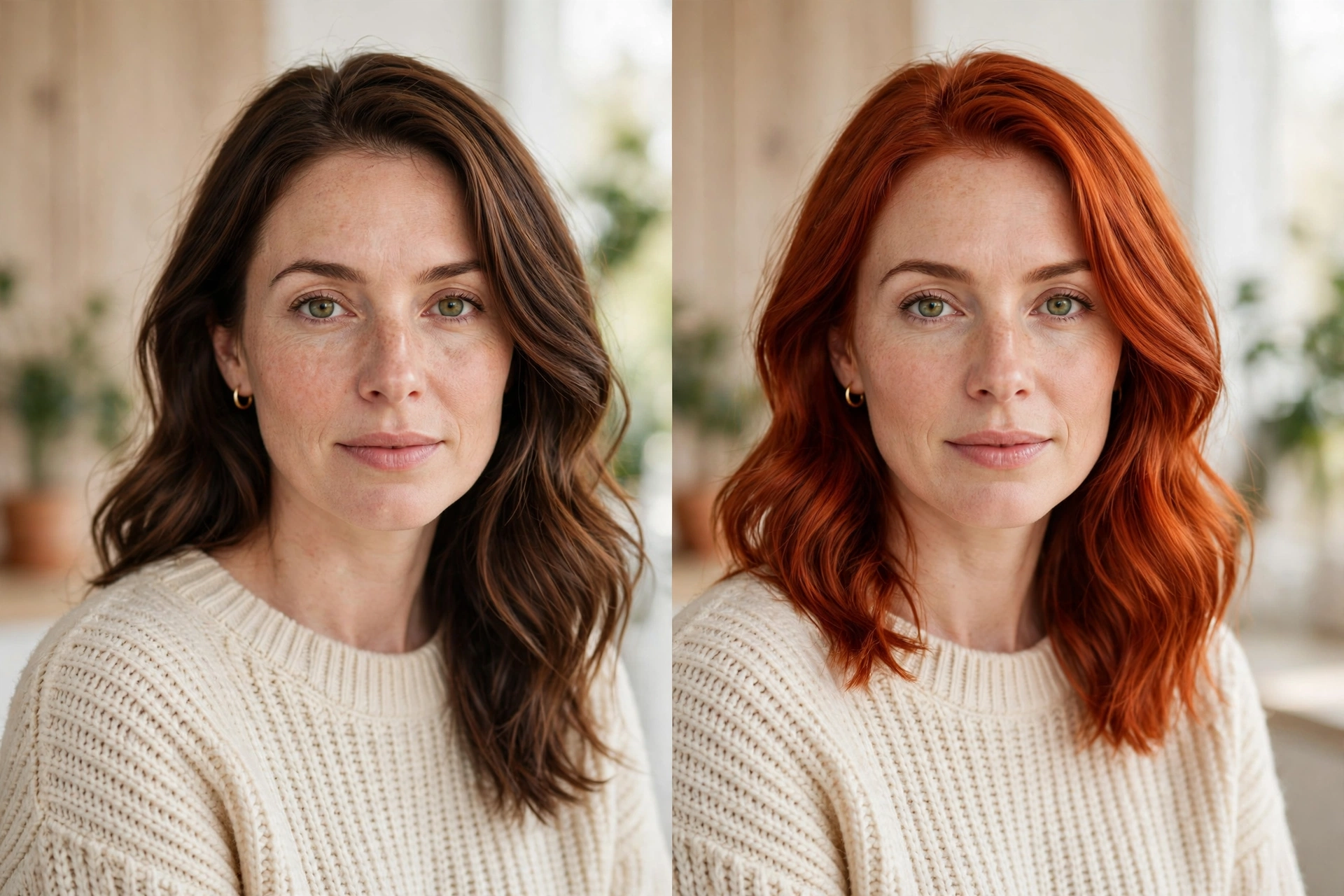
With one clear selfie, these tools recolor your hair in seconds, from soft chocolate brown to copper, platinum, or even teal. In this guide, you will learn how an AI hair color changer works, how to choose a shade that suits your skin tone, why a digital preview can differ from real dye, and how to turn your favorite result into a color you will actually love in the mirror. That is the whole point of an AI hair color changer: no commitment until you find a shade you love.
Quick answer: An AI hair color changer is an app or website that uses artificial intelligence to recolor only the hair in your photo, leaving your face, skin, eyes, and background untouched. With one clear selfie, it recolors your hair in seconds, so you can preview a shade before dyeing, with no commitment until you find a shade you love.
What Is an AI Hair Color Changer?
An AI hair color changer is an app or website that uses artificial intelligence to recolor only the hair in your photo. It leaves your face, skin, eyes, and background untouched. Older “hair color filters” simply tinted the whole head with a flat layer of color. Modern tools are far smarter: they find the exact outline of your hair and keep the natural highlights, shadows, and strand detail, so the new color looks like part of the original picture.
You may also see this idea called a virtual hair color try-on, hair color simulator, or hair dye preview. Many general AI hairstyle changer tools include a color option as well, so you can test a new cut and a new shade together.
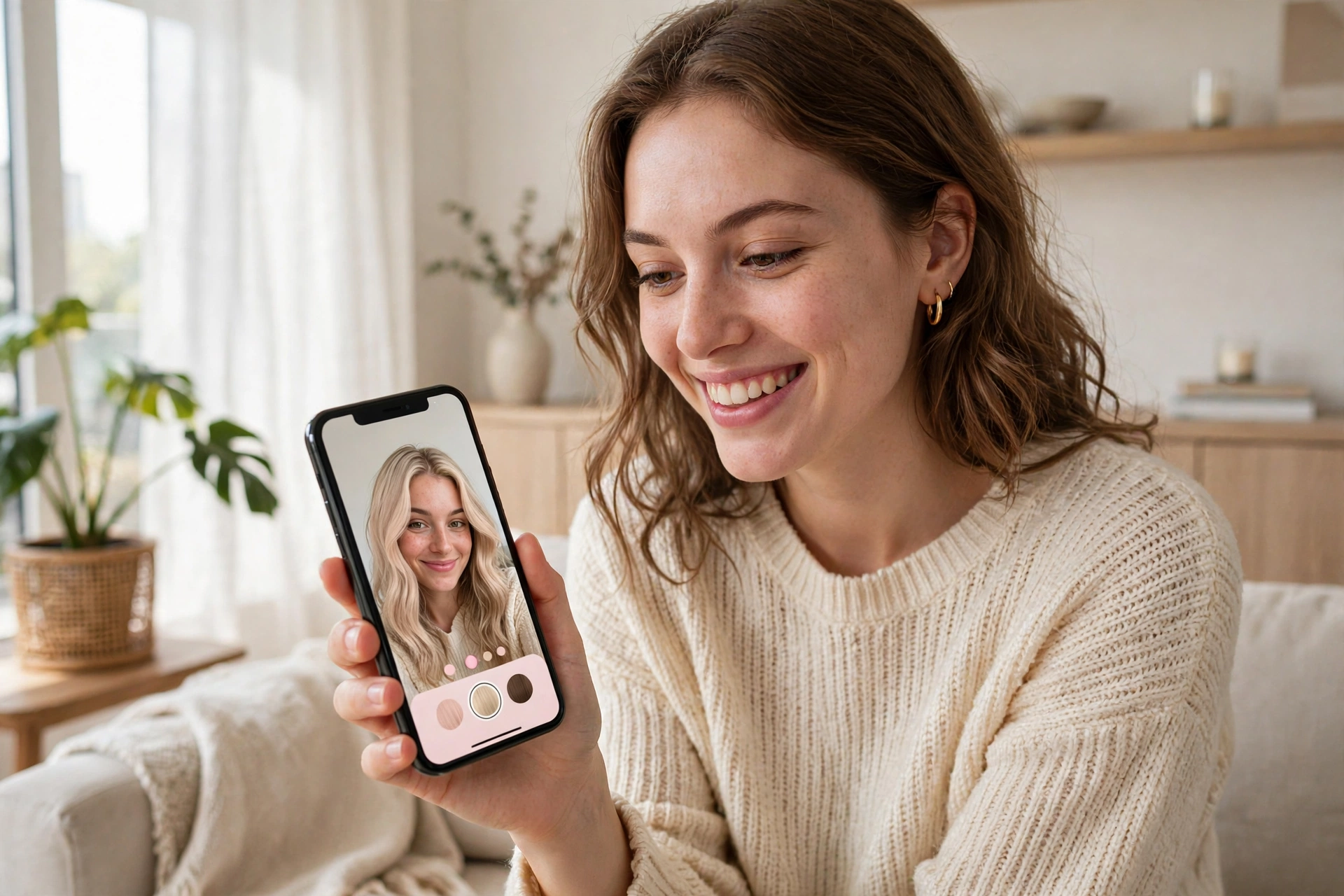
How Does AI Hair Color Try-On Work?
You do not need to understand the technology to use it, but a quick look explains why some previews look real and others look painted on.
1. Hair Segmentation
The software first separates hair from everything else in the photo. This step, called segmentation, creates a mask that marks exactly which pixels are hair. Clean masks mean clean edges. Messy backgrounds, loose flyaways, and hair that blends into a dark background make this step harder.
2. Color Mapping
Next, the tool changes the hue and tone of the masked area while preserving brightness variations. That is what keeps shine and depth visible. Good tools also adjust for lighting, so a pastel shade does not look flat in a shadowed area.
3. Blending and Finishing
Finally, the edges around the hairline and ears are softened so the color sits naturally. Some advanced tools use generative AI to redraw strands and add realistic highlights, which is especially useful for multi-tone looks such as balayage and ombre.
Hair Color Ideas to Test With AI
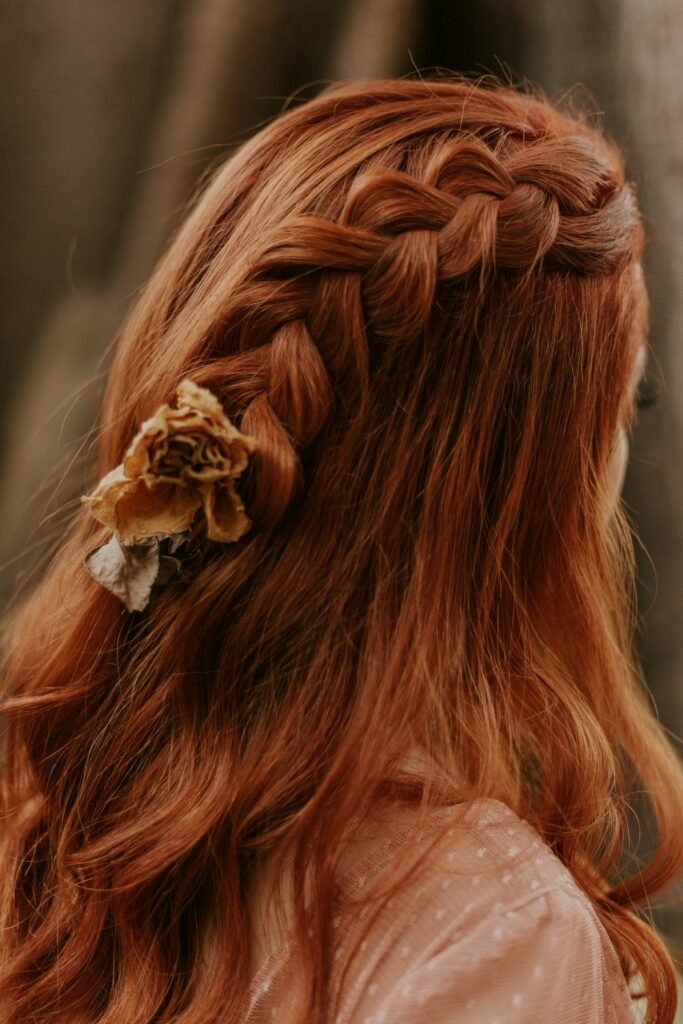
The best part of a virtual try-on is freedom: you can test colors you would never dare to dye on the first attempt. Here are the main groups to explore: An AI hair color changer makes that freedom risk-free, since nothing is permanent until you decide.
- Natural shades: black, espresso, chestnut, caramel, and light brown for a subtle refresh.
- Warm tones: honey, golden blonde, copper, auburn, and rich red.
- Cool tones: ash brown, ash blonde, platinum, silver, and plum.
- Dimensional color: highlights, lowlights, balayage, ombre, and money-piece front strands.
- Fashion colors: teal, blue, pink, lavender, and other vivid shades.
A helpful trick is to start with small changes. If you normally have dark brown hair, try caramel highlights before jumping to icy blonde. Seeing a gentle shift first helps you judge what actually feels like “you.”
How to Choose a Hair Color for Your Skin Tone
An AI preview tells you how a shade looks on your face. It does not tell you whether the shade is right for your skin. A simple undertone check can help you narrow your list before you even open the app.
Find Your Undertone
- Vein test: In natural light, look at the veins on your wrist. Green-looking veins suggest a warm undertone, blue or purple suggest cool, and a mix suggests neutral.
- Jewelry test: If gold looks better on you, you are likely warm. If silver looks better, you are likely cool. If both work, you may be neutral.
Match Colors to Undertones
Warm undertones often look lovely with golden, honey, caramel, copper, and warm chestnut shades. Cool undertones often suit ash, platinum, cool brown, burgundy, and plum. Neutral undertones can usually wear both. These are guidelines, not rules. Plenty of people look striking in “wrong” colors, so use the AI tool to test one safe option and one bold option.
How to Get a Realistic Hair Color Preview
The photo you upload has more influence on the result than almost anything else. Follow these tips for a believable preview:
- Use daylight. Stand near a window. Yellow indoor bulbs shift how every color appears.
- Skip heavy filters. Beauty filters change skin and hair tones before the AI even starts.
- Use a plain background. A simple wall makes it easier for the tool to separate hair from the scene.
- Show all of your hair. Keep hair visible around your face and shoulders rather than hidden under a hat or scarf.
- Choose a sharp, high-resolution picture. Fine detail helps preserve strands and highlights.
- Test in several lighting conditions. If you can, preview the same color on two different photos to see how it holds up.
Why a Digital Color Is Not the Same as Real Dye
This is the most important section of the article. An AI hair color changer shows a possible result, but it cannot show what will happen to your actual hair. Several real-world factors decide the final shade.
Your Starting Color
Dye does not paint over hair like a digital filter. To go lighter, the existing pigment must be lifted first. Naturally dark hair, including the deep black-brown hair common in India and many other regions, often needs bleaching before it can reach blonde, copper, or pastel shades, and it may take more than one session. Going darker is usually simpler.
Previous Color and Damage
Old dye, henna, heat damage, and chemical treatments all change how new color takes. Porous or damaged hair can grab color unevenly or fade quickly. A shade that looks smooth in a preview may look patchy on hair that has been lightened several times.
Texture and Thickness
Thick, coily, fine, and straight hair all reflect light differently, so the same dye can look different on each. A tool may show glossy, perfectly even color, while your real hair has more variation.
Screens Are Not Perfect
Different phones and monitors display colors differently. A vivid teal or rich red on your screen may look softer or brighter in person. Use the preview for direction, then rely on your colorist’s swatches and strand tests for the real thing.

Protecting Your Hair: Damage, Allergies, and Aftercare
A new color should leave your hair healthy enough to enjoy it. Before you dye, keep these safety points in mind:
- Do a patch test. Hair dye can cause allergic reactions in some people. Follow the instructions on the box or ask your salon to test a small area of skin at least 48 hours before coloring.
- Do a strand test. Color a small hidden section first to see the real shade and how your hair reacts.
- Limit bleaching. Lightening is the most damaging step. If your hair is already dry or breaking, wait and repair first.
- Use color-safe care. Sulfate-free shampoo, a weekly mask, and heat protection help color last and reduce dryness.
- Watch your scalp. Persistent itching, burning, or unusual hair shedding after coloring is a reason to stop and speak to a doctor or dermatologist.
If you are unsure about the current condition of your hair, our article on how accurate AI hair analysis is explains what photo-based scans can and cannot reveal. If you have curls, a consistent curly hair routine can help keep colored hair moisturized.
Plan for Maintenance and Cost
A preview shows a color on its best day, not three weeks later. Before you commit, think about upkeep:
- Root regrowth: Colors far from your natural shade show roots sooner and need more frequent touch-ups.
- Fading: Vivid and pastel colors usually fade faster than natural tones.
- Toning: Blondes and silvers may need toner to prevent brassiness.
- Budget: Ask your colorist for a full estimate, including bleach, toner, and later appointments, before you start.
Low-maintenance options, such as balayage, face-framing highlights, or a shade within two levels of your natural color, tend to grow out more gracefully.
From Preview to Salon: A Simple Process
- Explore broadly. Try at least ten colors in different families, including ones you think you will not like.
- Pick three favorites. Save them as screenshots.
- Find real-life references. Look for photos of real people with a similar natural hair color and skin tone who wear your chosen shade.
- Book a consultation. Bring both the AI previews and the references, and show your natural color and any past dye history.
- Ask what is realistic. A good colorist will explain how many sessions you need, what it will cost, and how to care for it.
- Consider a gradual path. Going from dark to light in stages is often healthier for your hair.
Privacy: Check Before You Upload
Your selfie is personal data, so choose tools carefully. Read the privacy policy to see how long photos are stored and whether they are used to train AI models. Prefer apps that let you delete your photos, avoid unnecessary permissions such as contacts or location, and never upload another person’s picture without permission. Also check pricing, since some apps offer a free preview and then ask for a subscription.
What to Look for in an AI Hair Color Changer
- Natural blending: Highlights and shadows stay visible instead of looking like a flat tint.
- Wide shade range: Natural, fashion, and multi-tone options such as balayage and ombre.
- Works on different hair types: Dark, curly, and thick hair should still look realistic.
- Clear privacy and pricing: No hidden charges or unclear data use.
- Easy export: You can save a high-quality image to show your colorist.
Frequently Asked Questions
What is an AI hair color changer?
It is a tool that uses artificial intelligence to recolor the hair in your photo so you can preview a shade before dyeing your real hair.
Is the preview the same as real hair dye?
No. Your natural color, previous dye, hair condition, and texture all change the real result. Treat the preview as inspiration and confirm with a colorist.
Can I try blonde on dark hair?
You can preview it, but achieving it usually requires bleaching dark hair, which may take several sessions and can cause dryness or damage. Ask a professional about timing and aftercare.
Are AI hair color changers free?
Many have free versions with limited shades or lower-quality exports and charge for full features. Always read the pricing details before signing up.
How do I pick a color for my skin tone?
Work out whether your undertone is warm, cool, or neutral, then test colors from that family in the AI tool. Compare one safe and one bold option.
Is it safe to upload my photo?
It depends on the provider. Choose apps with clear privacy policies and deletion options, and avoid sharing unnecessary permissions.
Final Thoughts
An AI hair color changer is a quick, low-risk way to explore new shades and avoid expensive mistakes. Use it to narrow your options, understand what suits your skin tone, and start a clearer conversation with your colorist. Then let a professional guide the real thing, with a strand test, a patch test, and a plan to keep your hair healthy.
Ready to explore more? Read our main guide to the AI hairstyle, and keep browsing Hair Curex for practical hair care and styling advice.